
Cyber security has changed dramatically over the last decade, and at Solid ITSM our cyber security specialists take a Zero Trust approach seriously because it reflects how modern attacks really happen. Traditional security models were built around the idea of a clearly defined network perimeter, with firewalls acting as the main line of defence. Once users or devices were inside the network, they were generally trusted. That approach no longer reflects how modern businesses operate. Cloud services, remote working, mobile devices, third-party access, and increasing cyber threats have made perimeter-based security ineffective. This shift has led to the rise of Zero Trust, a security model designed for today’s reality, not yesterday’s infrastructure.
Zero Trust is built on a simple but powerful principle. Never assume trust, always verify. Every access request, whether it comes from inside or outside the organisation, must be validated before access is granted. Identity, device health, location, risk level, and data sensitivity all play a role in that decision. For businesses using Microsoft platforms, understanding how Zero Trust works and how Microsoft licensing supports it is critical to building a secure and scalable environment.
 Identity becomes the new perimeter, not the office network
Access is based on context, device health, and risk signals
Least-privilege keeps users limited to what they genuinely need
Microsoft licensing can unlock, or limit, key Zero Trust controls
Zero Trust is often misunderstood as a product or a switch that can be turned on. In reality, it is a security strategy that influences how access, identity, devices, and data are protected. The goal is to reduce risk by assuming that breaches can and will happen, and by limiting the damage they can cause.
Rather than trusting users because they are on a corporate network, Zero Trust requires continuous validation. This means that even a legitimate user with valid credentials may be challenged if something about their request looks unusual. That could include signing in from an unexpected location, using an unmanaged device, or attempting to access sensitive systems outside of normal working patterns.
Key Zero Trust principles include:
Verifying every user and device before granting access
Enforcing least-privilege access, so users only see what they need
Assuming breach and designing controls to limit lateral movement
Continuously monitoring activity and adapting security policies
This approach significantly reduces the attack surface and makes it far harder for attackers to exploit a single compromised account.
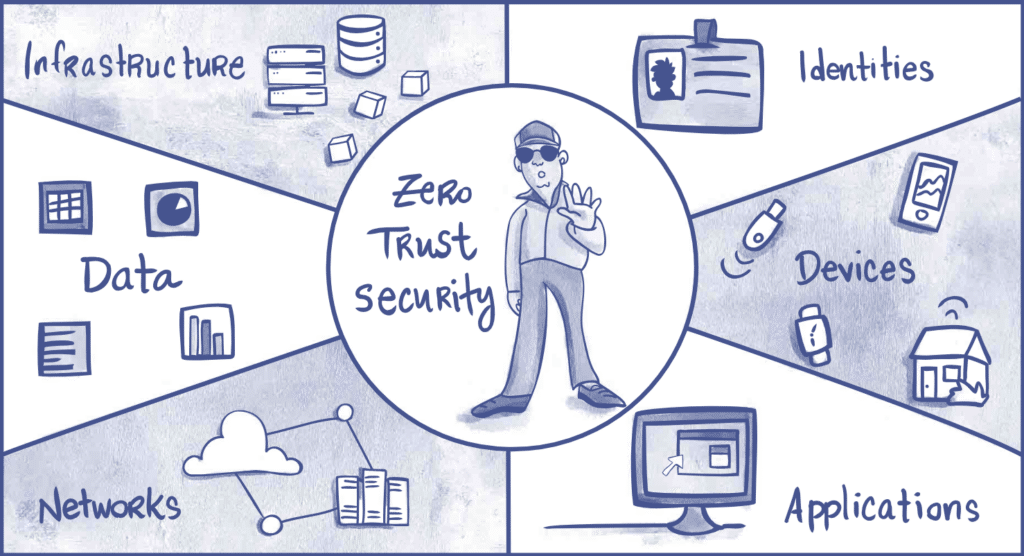
Microsoft plays a central role in Zero Trust adoption for many UK businesses, largely because its ecosystem already underpins day-to-day operations. Microsoft’s Zero Trust model focuses on six core areas: identity, devices, applications, data, infrastructure, and network.
At the centre of this approach is identity. Rather than relying solely on network location, Microsoft treats identity as the new security perimeter. Access decisions are based on who the user is, the condition of their device, and the context of the request.
Core Microsoft technologies that support Zero Trust include:
 Microsoft Entra ID for identity and access management
Conditional Access policies to control how and when users sign in
Multifactor authentication to prevent credential-based attacks
Microsoft Intune to enforce device compliance and security policies
Microsoft Defender products for endpoint, identity, and cloud protection
These tools work together to provide layered security rather than relying on a single control.
One of the most overlooked aspects of Zero Trust adoption is Microsoft licensing. Many organisations assume that because they use Microsoft 365, they already have everything they need. In practice, the availability of Zero Trust features depends heavily on the licences assigned to users.
Basic Microsoft subscriptions provide limited security controls. Advanced capabilities such as conditional access rules, identity protection, device compliance enforcement, and automated risk-based responses often require higher-tier licences.
Common licensing options that support Zero Trust include:
 Microsoft 365 Business Premium, which includes Entra ID P1, Intune, and Defender for Business
Microsoft 365 E3, which adds more advanced compliance and security features
Microsoft 365 E5, which includes the full security and analytics stack
Choosing the right licence is not about buying the most expensive option. It is about matching security capabilities to business risk. A small business with remote workers may benefit significantly from Business Premium, while a regulated organisation handling sensitive data may require E3 or E5 features.
Conditional Access is one of the most important Zero Trust tools within the Microsoft ecosystem. It allows organisations to define rules that determine whether access should be allowed, blocked, or challenged with additional verification.
For example, Conditional Access policies can:
Require multifactor authentication when users sign in from outside the UK
Block access from devices that do not meet security standards
 Limit access to sensitive applications based on user role
Enforce stronger controls when risk is detected
These policies adapt in real time, ensuring that access decisions are based on current risk rather than static rules.
Zero Trust does not stop at identity. Devices play a critical role in determining whether access should be granted. A user signing in from an unpatched or unmanaged laptop presents a very different risk compared to a compliant, encrypted device.
Microsoft Intune allows organisations to manage and secure devices centrally. It can enforce requirements such as encryption, antivirus protection, and operating system updates. Devices that fail these checks can be blocked or restricted automatically.
This approach ensures that even if credentials are compromised, attackers cannot easily access systems from unknown or insecure devices.
Data Protection in a Zero Trust Model
Protecting data is a core goal of Zero Trust. Microsoft provides data classification, labelling, and protection tools that help organisations control how information is accessed and shared.
Sensitive data can be restricted to specific users, encrypted automatically, or prevented from being shared externally. Combined with identity and device controls, this creates multiple barriers that protect critical information even if one layer fails.
The Business Value of Zero Trust
Beyond security, Zero Trust delivers tangible business benefits. It supports flexible working without increasing risk. It reduces downtime caused by security incidents. It improves visibility into who is accessing systems and why.
For many organisations, Zero Trust also simplifies IT management. Policies are applied consistently across users and devices, reducing reliance on manual processes and outdated assumptions.
Key benefits include:
Reduced risk of data breaches and ransomware
 Improved support for remote and hybrid working
Stronger compliance and audit readiness
Better control over Microsoft licensing and costs