Reliable backups that protect your data and keep your business secure.
Fast recovery solutions that minimise downtime and keep you operational.
Automated systems that safeguard your information.
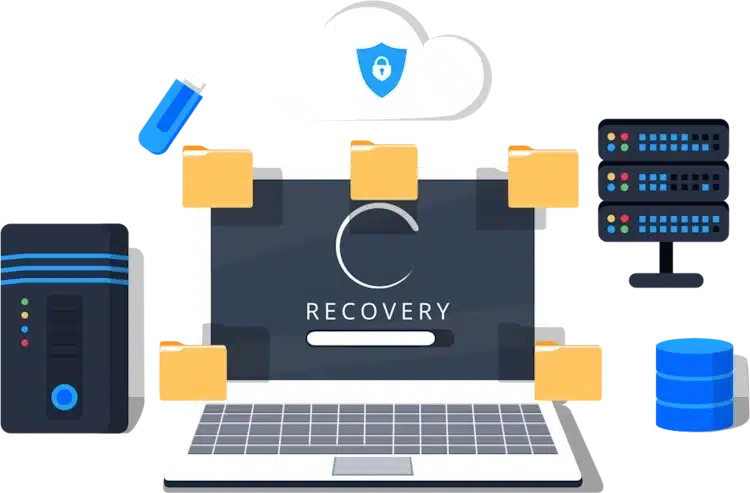
Backup services focus on creating secure copies of your important data and storing them in protected locations, such as encrypted cloud storage or local backup devices. These backups run automatically, ensuring your information is always up to date without relying on staff intervention. Backups protect your business from accidental deletion, hardware failure, cyber attacks and other unexpected events. With structured backup routines in place, your organisation benefits from strong data security and complete peace of mind.
Key Benefits Automated backups that run reliably in the background Secure, encrypted storage to protect sensitive information Multiple backup locations for stronger resilience Protection against accidental loss, corruption or cyber attacks Peace of mind knowing your data is always safe and accessible
Recovery services are designed to bring your systems and data back online quickly after a failure or incident. This includes restoring files, rebuilding systems, recovering servers and getting your team working with minimal disruption. A clear recovery plan outlines the steps, priorities and timelines needed to return your business to full operation. Fast recovery is essential for reducing downtime, protecting revenue and maintaining customer confidence. Recover quickly and reduce long term impact, with expert disaster recovery
Key Benefits Rapid restoration of files, systems and applications Minimal downtime during unexpected incidents Structured plans that guide your recovery process Support from specialists who manage the entire restoration Business continuity that protects productivity and revenue







On site backup stores your data within your own building, giving you full control over your storage hardware and how your information is managed. This setup often uses devices such as NAS units, local servers or external drives that sit within your physical environment. Because your data stays on your internal network, recovery is fast, predictable and unaffected by internet performance. Many organisations find this helpful when working with sensitive information or when compliance requires full physical oversight. However, local storage can still be lost in major incidents such as fire, theft or equipment failure. It also requires ongoing maintenance, monitoring and hardware investment. Even with these challenges, on site backup remains a strong option for businesses that prioritise speed and complete control.
Key points Fast restoration with no reliance on internet speed Full physical control of systems and data Ideal for sensitive or compliance driven environments Vulnerable to local disasters affecting the premises Requires ongoing hardware and maintenance costs
Cloud backup sends your data to a secure external data centre, storing it safely away from your physical location. This protects your business from local risks and ensures that important information can be restored even if your main systems fail. Cloud services such as Microsoft Azure, AWS and Google Cloud offer flexible capacity, strong encryption and reliable access from anywhere. This makes cloud backup ideal for growing businesses or teams working across multiple locations. It also removes the need to purchase hardware and simplifies long term storage management. The main consideration is internet dependency. Large restorations can take time if connection speeds are slow, and organisations must trust their provider’s security controls. Despite this, cloud backup remains one of the most convenient and resilient options for modern businesses.
Key points Off site protection from fire, theft and local failures Scalable storage that grows with your business Accessible from any location with an internet connection Slower restoration for large data volumes if internet is limited Data security depends partly on your provider’s safeguards

Hybrid backup combines local and cloud storage to create a highly resilient and flexible solution. It allows your business to restore files quickly from local devices during day to day issues while still keeping a safe off site copy in the cloud for full disaster recovery. This dual approach means you benefit from speed, convenience and strong resilience, even during serious incidents like hardware loss or building damage. A hybrid setup also lets you decide how different data types are stored. Sensitive data can stay on site, while less critical information sits in the cloud for added redundancy. The main challenges include the need for careful management, routine monitoring and a slightly higher cost due to multiple systems. Even so, hybrid backup is widely regarded as the most secure and practical strategy for long term business protection.
Key points Combines fast local recovery with cloud based resilience Protects your business even if local equipment is lost Flexible storage options for different data types More complex to manage than a single system Higher cost but greater overall protection
 Strong protection against data loss
Rapid restoration that reduces downtime and keeps your business running
Secure and consistent backups that protect vital files
Helping you maintain operations during unexpected events
Improved compliance and reassurance for clients who value safe data
Peace of mind knowing your information is recoverable

 Microsoft Azure Backup and Site Recovery provides a powerful and scalable cloud based solution designed to protect your business data while ensuring continuity during unexpected disruptions. It allows you to back up servers, virtual machines, applications and files directly into the Azure cloud using secure, encrypted storage. Azure Site Recovery also replicates your critical workloads into another Azure region, which means your systems can be restored quickly in the event of an outage. This solution is ideal for businesses wanting a dependable cloud first approach with built in automation, minimal maintenance and strong protection against data loss. Azure streamlines compliance, enhances resilience and integrates seamlessly with existing Microsoft infrastructure. With centralised management, detailed reporting and flexible recovery options, it supports organisations of all sizes that want reliable performance and high availability. Azure ensures your data stays protected, accessible and ready for recovery whenever you need it.
Benefits Automated cloud backups and secure data encryption Fast recovery times that minimise disruption Centralised management for easy monitoring Strong integration with Microsoft 365 and on site systems Scalable storage suitable for growing organisations
 Veeam Backup and Replication is a leading solution trusted by organisations that need fast, reliable protection for physical and virtual environments. It offers full image level backups, rapid recovery tools and advanced monitoring to ensure your data remains protected at all times. Veeam allows businesses to create flexible backup schedules, store data locally or in the cloud and restore systems within minutes rather than hours. Its replication features provide an extra layer of resilience by copying live workloads to another location, allowing operations to continue even during major failures. Veeam is known for its speed, stability and insights through detailed reporting. It suits businesses of all sizes that want a powerful platform capable of handling large datasets, intensive workloads and complex environments. With strong performance and user friendly controls, Veeam delivers dependable protection and a smooth recovery experience when unexpected problems arise.
Benefits Fast restoration that reduces downtime Flexible storage options across cloud and local environments Detailed reporting and real time monitoring Strong protection for virtual machines and physical devices Reliable replication for improved resilience


 Acronis Cyber Protect brings together backup, cyber security and disaster recovery tools within a single integrated platform. It provides simultaneous data protection and threat prevention by combining traditional backup services with features such as anti malware, ransomware protection and vulnerability scanning. Businesses choose Acronis because it keeps systems protected from both technical failures and modern cyber threats. The platform supports cloud, hybrid and on site storage, giving organisations flexibility in how they manage data. Acronis also offers automated patch management, disk imaging and centralised administration that helps IT teams streamline tasks and strengthen their defence against disruptions. It works well for teams that want a unified solution rather than multiple separate systems. With strong performance, easy deployment and multi environment support, Acronis helps businesses maintain continuity, reduce risk and restore operations quickly after any incident.
Benefits Combined backup and cyber protection in one platform Ransomware prevention with real time monitoring Full image and file level backups for flexible recovery Automated patching and vulnerability checks Hybrid, cloud and local storage options
 AWS Backup provides a secure, centralised way for organisations to protect their Amazon Web Services workloads alongside on site data using the same unified system. It simplifies backup scheduling, retention management and data recovery by automating these processes across all AWS services. Businesses can protect databases, virtual machines, storage volumes and applications, all while ensuring compliance with security and industry regulations. With global data centres, AWS provides strong resilience and multiple storage locations for added protection. This solution is ideal for organisations already using Amazon Web Services or moving towards a cloud first model. The interface makes management simple, and recovery processes are designed to be predictable and fast. AWS Backup offers scalable storage, strong encryption and detailed reporting to help organisations maintain visibility and control. With strong reliability and flexible recovery features, it ensures critical systems remain protected and available.
Benefits Automated protection for all AWS workloads Scalable storage suitable for any size organisation Strong security with encrypted backups Central dashboard for simplified management Reliable performance across global AWS regions

 Synology and QNAP NAS systems provide a reliable on site backup solution for businesses that want full control over their storage environment. These appliances are ideal for organisations that need fast local recovery, high capacity storage and robust security features. NAS devices store data within your premises, making restoration significantly quicker than relying on cloud systems alone. Synology and QNAP offer file level and image level backups, user permissions, snapshots and replication tools. They integrate easily with cloud services, allowing you to build a hybrid system for even stronger resilience. These systems suit businesses that handle large amounts of data or require immediate access to local backups. With intuitive interfaces, automated scheduling and strong encryption, Synology and QNAP provide dependable protection and fast restoration capabilities. They also offer cost effective long term storage, making them a suitable choice for growing companies with expanding data needs.
Benefits Fast local recovery that reduces downtime Full control over on site data storage Integration with cloud platforms for hybrid resilience Cost effective long term storage capacity Strong security features and encryption
 Google Cloud Backup provides secure and scalable protection for your data by storing backups within Google’s global cloud infrastructure. It is an ideal solution for organisations that need flexible storage, strong resilience and advanced recovery options. Google Cloud supports automated backups for servers, virtual machines, databases and applications, allowing businesses to maintain continuity even during major disruptions. Its high performance infrastructure ensures fast backup processing and reliable restoration. Google Cloud also integrates well with existing systems through APIs and built in tools, which makes deployment simple. With strong encryption, multi region redundancy and continuous monitoring, it offers a safe and dependable environment for mission critical data. This solution suits organisations that want predictable costs, long term scalability and modern cloud based recovery processes. Google Cloud enhances business continuity by ensuring that essential information remains protected, accessible and ready for restoration when needed.
Benefits Automated cloud backups across global regions Strong encryption and multi layer security controls Fast and reliable restoration during outages Scalable storage that grows with your business Smooth integration with existing systems and applications

1. Assess your risks and vulnerabilities
The first step in creating a backup and recovery plan is understanding the risks that could disrupt your business. This includes identifying threats such as cyber attacks, hardware failures, natural disasters and human error. Each carries its own level of likelihood and impact, so assessing them properly allows you to prioritise your protection strategy. Review your physical location, IT setup and operational processes to spot weak areas. Once you recognise these risks, you can plan appropriate safeguards to minimise potential damage. This risk assessment becomes the foundation of your overall backup and recovery approach.
Tips Review risks every quarter to account for new threats. Include both digital and physical risks in your assessment. Involve department heads to capture risks from all areas of the business.
2. Identify critical data and systems
Not all information is equal. Some data and systems are essential for your daily operations, and these require the highest level of protection. Start by listing the applications, databases, files and devices your team relies on. Consider areas such as finance, communications, customer records and core business tools. Once you know what is most important, you can prioritise these items in your recovery plan. This ensures that during an incident, your most critical systems are restored first, keeping your organisation functional. Identifying what matters most also prevents wasted resources on unnecessary backups, creating a smarter and more efficient strategy.
Tips Mark each system as high, medium or low priority. Map how systems depend on each other to determine recovery order. Review your critical list annually as the business evolves.
3. Set your RTO and RPO targets
Recovery Time Objective (RTO) and Recovery Point Objective (RPO) define the expectations for how quickly your systems must be restored and how much data you can afford to lose. RTO outlines the longest acceptable downtime, while RPO determines how far back in time your recovered data can safely go. These targets help shape your backup frequency, storage methods and recovery processes. A short RTO or RPO means you need frequent backups and fast restoration tools. Setting these targets early provides clarity and ensures your organisation is prepared to meet real operational demands when recovery is required.
Tips Set different RTO and RPO levels based on system importance. Balance strict targets with realistic technical and cost limitations. Review targets during major upgrades or system changes.
4. Choose your backup methods
Once your recovery expectations are clear, you can select the backup methods that best support them. Options include on site backup, cloud based backup or a hybrid of both. On site solutions provide fast recovery, while cloud systems add strong off site protection. Hybrid setups offer the best balance by combining local speed with cloud resilience. Choose the approach that fits your budget, data volume and business environment. The right method should protect your information, allow reliable restoration and remain flexible enough to grow with your organisation. This decision forms a core part of your recovery strategy.
Tips Compare cost, speed and security before selecting a method. Consider hybrid if you want both fast recovery and off site protection. Document why each method was chosen for clear justification.
5. Select your storage locations
A strong backup plan includes more than one storage location to ensure your information survives different types of incidents. Local storage provides fast access for everyday restores, while off site or cloud storage protects you from building wide problems such as theft, fire or flooding. By keeping backup copies in multiple places, your organisation reduces the chance of complete data loss. Choose locations that are secure, dependable and properly maintained. Make sure each storage location is monitored regularly to confirm backups complete successfully. A mix of local and off site storage provides a safer and more resilient approach.
Tips Always keep at least one off site copy of your data. Check the security of each storage location regularly. Use encrypted storage to protect sensitive information.
6. Create a clear backup schedule
A reliable backup schedule ensures your data is updated regularly and reduces the risk of large losses during an incident. Start by deciding how often backups should run for each system. Mission critical data may need hourly or continuous backups, while less urgent information might only require daily or weekly protection. Plan when full, incremental and differential backups occur to balance speed, storage space and resource usage. Document this schedule clearly so your team knows what to expect. A consistent backup routine strengthens your recovery process and ensures your information is always protected.
Tips Schedule backups during low usage hours to reduce disruption. Test different frequencies to find the best balance for your systems. Automate backups to eliminate human error.
7. Document your recovery procedures
Having backups is only useful if your team knows how to restore them. Documenting recovery procedures ensures that anyone involved can follow clear, step by step instructions during an incident. Include details such as where backups are stored, how to access them, who authorises restores and how to verify that data is correct. A well written recovery guide reduces confusion and speeds up restoration during emergencies. It also ensures that processes stay consistent even if staff change. Clear documentation is a vital part of making your recovery plan reliable, efficient and easy to execute when required.
Tips Keep documentation in a secure but easily accessible location. Update instructions whenever systems or tools change. Include screenshots or diagrams to simplify the process.
8. Assign roles and responsibilities
A strong backup and recovery plan depends on a team that knows exactly what to do. Assigning roles ensures that individuals understand their duties during an incident, helping to avoid delays or miscommunication. Define who manages backups, who leads the technical recovery, who validates restored data and who communicates updates to staff and clients. Make sure each role is clearly documented and supported with training. When responsibilities are well defined, your organisation can respond quickly and confidently to disruptions. This clarity improves coordination, reduces stress and ensures a smooth recovery process.
Tips Assign backup personnel for each key role. Provide training so everyone understands their responsibilities. Review roles after any major staffing or structural change.
9. Test your backups and recovery process
Testing is essential because it confirms your backups are working and your recovery process is effective. Regularly performing test restores allows you to verify the integrity of your data and identify any weaknesses before a real incident occurs. Testing also ensures your team understands their recovery tasks and can complete them correctly. Use these tests to check system performance, identify bottlenecks and correct any issues. Document the results so improvements can be made. A tested recovery process gives you confidence that your organisation can return to normal quickly when something unexpected happens.
Tips Test different types of restores, not just one. Record test results to track improvements over time. Include staff from different teams to broaden awareness.
10. Review and update your plan regularly
A backup and recovery plan is not something you create once and forget. As your business evolves, your systems, staff, applications and risks will change. Reviewing your plan regularly ensures it stays aligned with your current needs and remains effective in protecting your information. Schedule periodic reviews to update hardware lists, storage methods, backup schedules and roles. Use insights from tests, incidents or system changes to strengthen your plan. Keeping everything current ensures your organisation stays resilient and prepared for any disruption.
Tips Review your full plan at least twice a year. Update your plan whenever new systems are introduced. Use lessons learned from incidents to improve your strategy.
RTO refers to the maximum amount of time your systems or services can be offline before it creates serious disruption for your business. It sets a clear expectation for how quickly your backup solution must restore operations after an incident. Shorter RTOs require faster recovery tools, well structured processes and suitable infrastructure. A realistic and well planned RTO ensures your organisation can continue operating with minimal downtime and reduces the financial and operational impact of system failures.
Key points Defines the maximum acceptable downtime Helps determine the speed of your recovery tools Shapes the design of your backup and restoration process Influences whether you need local, cloud or hybrid recovery Reduces the operational and financial effects of outages
RPO measures how much data your business can afford to lose in the event of a failure. It determines how frequently backups must occur to keep data loss within acceptable limits. For some organisations, losing even one hour of data is too much, while others may tolerate longer intervals. RPO directly affects your backup schedule, your storage method and the type of technology used. Setting a clear RPO ensures your data remains accurate, up to date and recoverable in line with your operational needs.
Key points Defines how much data loss is acceptable Determines how often backups must run Helps prioritise which systems need the most frequent protection Supports strong data integrity during recovery Aligns your backup routine with business risk levels


Stay updated with our latest projects, technologies, and services. |  on FACEBOOK & LINKEDIN | Professional IT Services



Why Is Backup and Disaster Recovery Important?

Backup and disaster recovery is essential because it protects your business from data loss, operational disruption and long term financial damage. Modern organisations rely heavily on digital systems, which means even a small incident can lead to major consequences. Whether the cause is a cyber attack, hardware failure, accidental deletion or a natural event, losing access to critical information can bring your operations to a halt.
A well designed backup and recovery strategy ensures that your data is securely stored, recoverable and available whenever you need it. It also supports business continuity by helping you restore systems quickly so staff can keep working and clients remain supported.
Without a reliable plan in place, companies face downtime, reputational harm, compliance issues and the risk of permanent data loss. Investing in backup and recovery is not only a technical requirement, it is a core part of safeguarding your organisation’s stability, productivity and long term success. It gives you peace of mind, reduces risk and ensures your business can overcome unexpected events with confidence.
Key benefits Protects your business from data loss caused by cyber attacks or system failures Ensures fast recovery so your organisation can return to normal quickly Reduces downtime and prevents costly interruptions to daily operations Supports compliance and demonstrates responsible data management Strengthens business continuity and long term resilience Provides reassurance that your information is secure, recoverable and always protected
What types of backup solutions do you offer for small and medium sized businesses?
We offer a full range of backup solutions designed to protect small and medium sized businesses from data loss, operational disruption and long term downtime. Every organisation has its own structure, risks and priorities, so our service covers on site, cloud and hybrid backup options. On site backup provides fast restoration for day to day issues, cloud backup protects you from building wide incidents and hybrid backup combines both approaches for maximum resilience.
We also support backup for servers, desktops, laptops, virtual machines, cloud platforms and business applications such as email, CRM tools and accounting systems. Our goal is to provide a solution that is simple to manage, secure, scalable and suitable for your operational needs. By understanding your data, your workflow and your recovery requirements, we help you choose a setup that offers reliable protection and fast recovery at any time.
Key points On site, cloud and hybrid backup options Protection for servers, devices and cloud platforms Scalable solutions that grow with your business Strong encryption for secure storage Tailored recommendations based on your needs
Does my business need a data backup and disaster recovery service?
Every business, regardless of size or industry, needs a reliable data backup and disaster recovery service. Modern organisations depend on digital systems for daily operations, customer communication, financial processes and internal management. If this information is lost or becomes inaccessible, the impact can be severe. Data loss can occur through hardware failure, cyber attacks, accidental deletion, software corruption or physical incidents such as flooding or fire.
A structured backup and recovery service ensures your information is protected and can be restored quickly, helping you avoid costly downtime and reputational damage. Even small businesses with limited data still face significant disruption if systems fail, so having a clear recovery plan is essential. With a professional solution in place, your business can continue operating with confidence, knowing that critical data, applications and systems are always safeguarded and ready to recover.
Key points Protection from cyber attacks, hardware failure and human error Prevents downtime and business disruption Safeguards essential files, applications and systems Supports business continuity and resilience Suitable for organisations of all sizes and sectors
How often will my data be backed up and can I choose the schedule?
Your data can be backed up as often as your business requires. Backup frequency is tailored to your recovery objectives, data usage and the nature of your operations. Some clients choose hourly or continuous backups for critical systems, while others prefer daily or weekly protection for less essential data.
During setup, we help you determine the most appropriate schedule based on your Recovery Point Objective (RPO), which defines how much data you can safely lose in an incident. All schedules are automated to ensure consistency, reduce human error and maintain a stable backup routine. You remain fully in control and can change the schedule at any time as your business evolves. Our team monitors all backup activity to confirm that jobs complete successfully and that your data remains protected.
Key points Fully customisable backup schedules Options for hourly, daily, weekly or continuous backups Automation for consistency and reliability Backup frequency based on your RPO needs Easy adjustments as your business changes
What is the difference between on site, cloud and hybrid backup?
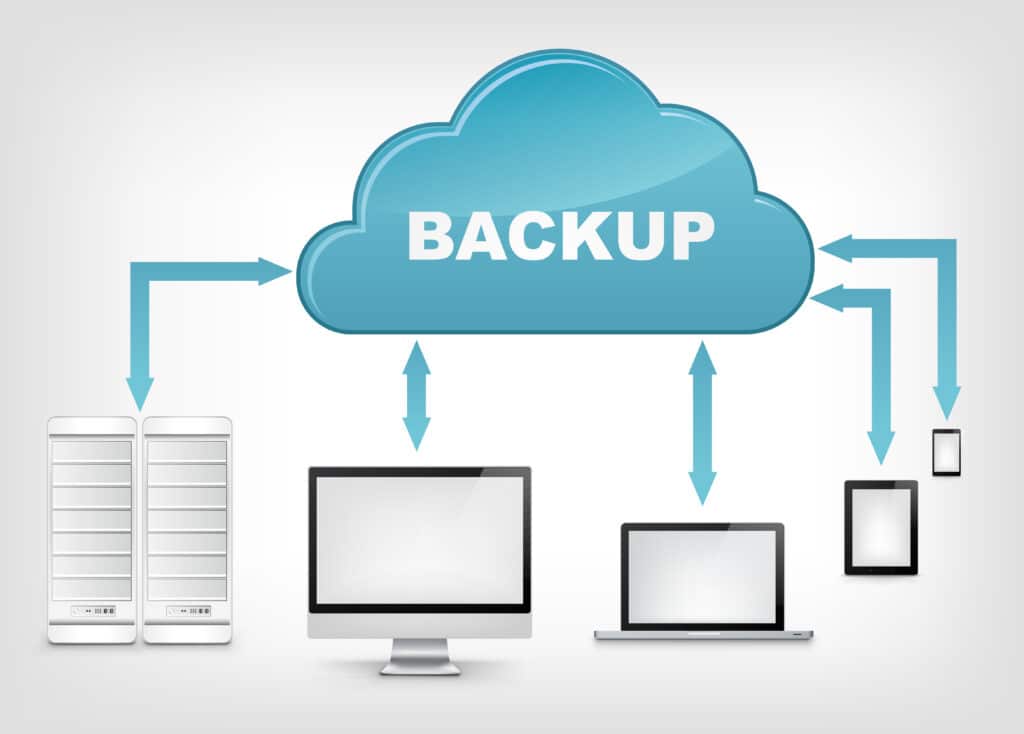
On site backup stores your data locally, usually on a server or NAS device inside your workplace. It offers the fastest recovery times and full physical control but is vulnerable to events that affect your building. Cloud backup sends your data securely to an external data centre managed by a trusted provider. This protects your information from local disasters and provides strong off site resilience, although restoration times depend on internet speed.
Hybrid backup combines both methods by keeping a local copy for fast recovery and a cloud copy for long term protection. This approach provides the best balance of speed, security and redundancy, making it a popular choice for businesses that want a comprehensive disaster recovery strategy. Each method has its strengths, and we guide you through choosing the most suitable option for your operational needs.
Key points On site backup offers fast local recovery Cloud backup provides strong off site resilience Hybrid backup combines the advantages of both Each option suits different recovery and security needs We help you choose the best method for your business
How quickly can you restore our systems if something goes wrong?
Recovery speed depends on the type of incident, the size of your data and the backup method in place, but our priority is always to restore your systems as quickly as possible. On site recovery is usually the fastest because data is restored directly over your local network. Cloud recovery takes longer due to internet transfer speeds, but it provides essential resilience if your building or hardware becomes unavailable. Hybrid backup provides rapid restoration for day to day issues and cloud based recovery for more serious events.
We work with you to define realistic Recovery Time Objectives (RTOs) and design a solution that meets those expectations. During an incident, our team follows a structured and proven process to restore services efficiently, verify data integrity and support your staff until everything is fully operational again.
Key points Fast recovery for local backups on your premises Cloud recovery available for full disaster scenarios Hybrid backup offers the best balance of speed and safety RTOs agreed in advance for clarity and planning Structured restoration process for reliable results
How do you protect backup data from ransomware or corruption?
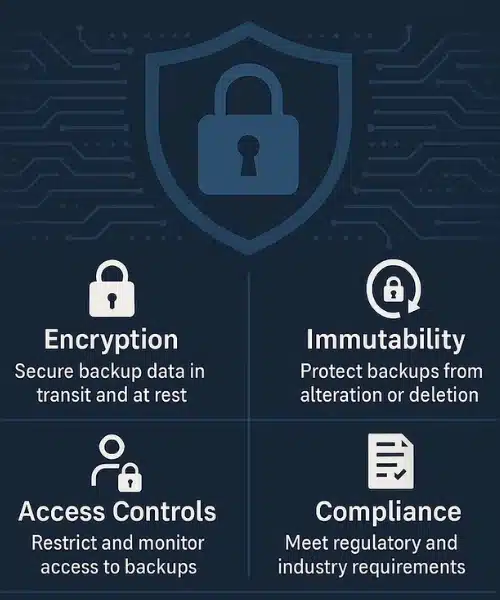
Protecting your backup data from ransomware, corruption and tampering is essential for a dependable disaster recovery strategy. We use a range of safeguards to ensure your data remains secure, including encrypted storage, immutable backups, multi layer authentication and restricted access controls. Immutable backups cannot be altered or deleted for a defined period, which prevents ransomware from encrypting or damaging them. We also separate backup storage from your main systems to protect it from cross infection.
Automated monitoring checks the health of your backups daily and alerts us to any irregularities. With these protections in place, even if your primary systems are compromised, your backup data remains safe and ready for recovery. Our approach ensures your business can restore clean, uninfected data and return to normal operations with confidence.
Key points Encrypted and protected backup storage Immutable backups that cannot be overwritten Separate storage to prevent cross contamination Automated monitoring for backup integrity Ransomware resistant security controls
Does the backup solution take up a lot of space?
The space required for your backup solution depends on the method you choose and the amount of data your business stores. Cloud backup requires no physical hardware within your building because everything is stored securely in a remote data centre. This is ideal for businesses with limited space or those wanting to minimise hardware investment. On site backup, such as NAS devices or servers, does require physical space, but modern equipment is compact, efficient and designed to fit seamlessly into office or server room environments. Hybrid backup uses a mixture of both, with a small amount of local hardware for fast recovery and cloud storage for long term safety.
Our team helps you determine the right balance between space, performance and cost, ensuring your setup remains practical and scalable without overwhelming your physical environment.
Key points Cloud backup requires no physical space On site hardware is compact and easy to maintain Hybrid solutions use minimal local equipment Storage needs scale with your data volume Solutions tailored to suit your available space
What are our RTO and RPO targets, and how do you help us meet them?
Recovery Time Objective (RTO) and Recovery Point Objective (RPO) are two of the most important measures in any backup and disaster recovery strategy. RTO defines how long your business can afford to be without key systems before operations are heavily affected. RPO defines how much data your organisation can afford to lose, based on how frequently your backups run. We work with you to calculate realistic and practical targets by assessing your operational workflows, system dependencies and risk exposure. Once these targets are clear, we design a backup solution that meets them, whether that involves more frequent backups, hybrid storage, faster on site recovery or cloud based resilience.
Throughout the year, we monitor backup performance, test restores and adjust your setup when systems or processes change. This ensures your business continuously meets its recovery requirements and remains prepared for unexpected disruptions.
Key points RTO and RPO calculated based on business needs Backup schedules tailored to meet your targets Hybrid and local options used for faster restoration Regular testing to confirm recovery performance Ongoing monitoring keeps your targets up to date
Do you monitor backups daily to ensure they complete successfully?
Yes, daily monitoring is a core part of our backup and disaster recovery service. Backups can fail for many reasons, including storage limits, software issues, network interruptions or hardware problems. Without daily checks, a backup failure can go unnoticed until a critical moment, which puts your business at risk. Our team monitors your backup jobs every day to ensure they complete successfully and remain healthy.
If an issue is identified, we investigate immediately, correct the problem and rerun the backup where needed. You also receive regular reports, giving you full visibility of your backup status. Daily monitoring ensures your data stays protected, your recovery points remain accurate and your business avoids unnecessary downtime. This approach provides reassurance that your systems are safe and that your most recent data can be restored without delay.
Key points Daily monitoring of all backup activity Immediate response to any failed backup jobs Reruns completed quickly to maintain protection Regular reporting for full transparency Reduced risk of data loss and downtime
Can you recover individual files as well as full systems?
Yes, we support both individual file recovery and full system restoration. Every business faces different types of data loss, from accidental file deletion to complete system failures. Our backup solutions are designed to handle both scenarios effectively. If you only need a single file or folder restored, we can retrieve it quickly from the most recent backup without affecting the rest of your systems.
For more serious incidents, such as hardware failures or ransomware attacks, we can perform full system recovery, restoring entire servers, applications or devices to a previous working state. This flexibility ensures your business can react appropriately to any incident, large or small. Our recovery process includes data verification, integrity checks and clear communication, so you remain informed throughout the restoration.
Key points Fast individual file and folder recovery Full system restoration when required Flexible recovery based on the type of incident Integrity checks to confirm clean, usable data Minimal disruption during the recovery process
Where is my data stored, and how secure is the backup environment?
Your data is stored in secure and professionally managed environments, depending on the backup method you choose. On site backups are stored within your own premises on encrypted devices such as NAS units or backup servers. Cloud backups are stored in certified data centres operated by trusted providers, with strict physical security, monitored access controls and advanced environmental protections.
These facilities are designed to meet recognised international standards for data protection and compliance. All backup data is encrypted during transfer and while stored, ensuring it cannot be accessed without the correct credentials. The combination of encryption, controlled environments and continuous monitoring means your data is protected against theft, tampering, loss and unauthorised access. Our priority is to ensure that your information remains safe, confidential and ready for recovery whenever it is needed.
Key points Encrypted storage for all backup data Secure on site and cloud based environments Certified data centres with strict access controls Continuous monitoring to maintain protection Full compliance with regulatory standards
If we have on site backup, where should we store it?
On site backup should always be stored in a safe, secure and controlled environment to protect your data and ensure reliable recovery. Ideally, backup hardware should be placed in a dedicated server room or network cabinet with proper ventilation, stable power supply and restricted access. Keeping the device out of general office areas reduces the risk of accidental damage or tampering.
Backup equipment should also be protected from hazards such as water leaks, dust, extreme temperatures and physical theft. For enhanced safety, it is recommended to store a secondary device in a separate internal location or combine on site backup with cloud storage. This ensures that if one device is compromised, your data still remains recoverable. Our team helps identify the best storage location within your premises and designs the setup to maximise both security and performance.
Key points Store hardware in a secure server room or cabinet Protect equipment from heat, moisture and dust Restrict access to authorised personnel only Use separate internal locations for added resilience Combine on site and cloud backup for extra protection
Do you offer encrypted backups for sensitive information?
Yes, all sensitive information can be encrypted as part of your backup process. Encryption ensures that even if backup data were intercepted or accessed without permission, it would remain unreadable and unusable. We use industry standard encryption protocols that protect your data both during transfer and while stored in local or cloud environments. This is especially important for businesses handling personal records, financial information, client data or confidential documents.
Our encryption processes operate automatically in the background, which means your protection stays consistent without adding extra work for your team. You retain full control over access permissions, encryption keys and data retention policies. With secure encryption in place, you can be confident that your information remains protected at every stage of the backup and recovery cycle.
Key points Strong encryption for sensitive and confidential data Protection during both transfer and storage Automatic processes to ensure consistency Full control over access and retention policies Suitable for compliance and regulatory requirements
Can you restore data if our office suffers fire, flooding or theft?
Yes, our backup and disaster recovery services are designed to protect your data even in the most serious physical incidents, including fire, flooding or theft. Because your information is stored securely off site or within a hybrid setup, your data remains safe even if your premises or hardware are damaged. In a situation like this, we begin by assessing the impact, confirming which systems have been affected and identifying the most recent clean backup. We then restore your systems from our cloud or secondary storage locations, allowing your organisation to continue operating from a temporary workspace, home environment or new office.
Our goal is to minimise disruption, reduce downtime and get your business running again as quickly as possible. With a structured recovery plan and reliable off site protection, you can be confident that your data remains secure and recoverable no matter what happens at your physical location.
Key points Off site backups protect data from building wide damage Fast restoration from cloud or remote storage Support for temporary or remote working during recovery Clean backup verification before restoration Structured recovery plan for minimal downtime
Will your team manage the backup process, or do we need to handle any part of it internally?
Our team manages the entire backup process for you, removing the burden from your staff and ensuring your data is protected without adding to your workload. We configure the backup system, set up schedules, monitor all backup jobs and address any issues as they arise. This includes daily health checks, storage management, backup verification and regular updates to ensure ongoing reliability.
You maintain full visibility and have the freedom to request changes at any time, but the technical work is handled by us. If you prefer to remain partially involved, we can provide access to management tools and training. Most businesses choose our fully managed service because it ensures backups are consistent, secure and compliant, while also freeing internal teams to focus on core responsibilities. Our proactive approach ensures problems are resolved before they affect your recovery capability.
Key points Fully managed service from setup to ongoing maintenance Daily monitoring to ensure all backups complete successfully No technical knowledge required from your team Optional shared management if preferred Proactive issue resolution and long term support
Can you back up cloud platforms such as Microsoft 365, Google Workspace or Azure servers?
Yes, we provide full backup solutions for cloud platforms including Microsoft 365, Google Workspace and Azure servers. Many businesses assume cloud applications are automatically backed up, but in reality, most providers operate under a shared responsibility model. This means they protect the platform, while you remain responsible for backing up your own data.
We ensure your emails, documents, shared files, Teams chats, calendars, databases and virtual servers are securely backed up to an independent location. This guarantees that data can be restored even if it is deleted, overwritten, corrupted or affected by a cyber incident. Our service includes automated backups, long term retention options and granular recovery, allowing you to restore individual files, full mailboxes or entire systems. With cloud based data becoming more valuable than ever, a dedicated backup solution ensures your organisation remains protected and compliant.
Key points Full protection for Microsoft 365, Google Workspace and Azure Independent backups separate from the provider’s infrastructure Granular restoration for files, emails and shared data Protection against deletion, corruption and cyber incidents Automated scheduling and long term retention options
Where do you offer disaster recovery and backup services?
We provide disaster recovery and backup services to businesses across multiple regions, ensuring reliable protection and fast support wherever your organisation is based. Our coverage includes local, national and international clients, allowing us to support both single site companies and organisations with multiple locations. Many businesses operate across different countries or time zones, so our service is designed to deliver consistent protection, monitoring and recovery regardless of location.
Whether your data is stored on site, in the cloud or across various offices, we can design a solution that keeps everything secure and recoverable. We also provide remote monitoring and management, meaning our team can respond quickly to incidents, run restores, test backups and carry out ongoing reliability checks without needing to be physically present. This flexible approach allows us to offer dependable support wherever you operate and ensures your data remains safe at all times.
Key points Service available to local, national and international clients Suitable for single site and multi site businesses Remote monitoring and management for fast response Consistent protection across all locations Custom solutions tailored to your organisation’s setup